> For the complete documentation index, see [llms.txt](https://docs.tread.fi/llms.txt). Markdown versions of documentation pages are available by appending `.md` to page URLs; this page is available as [Markdown](https://docs.tread.fi/tread.fi-institutional-api-docs/account-creation-and-api-key-connection/getting-started.md).
# Getting Started
1. **Register** – [Sign up](https://app.tread.fi/account/signup/) with your email or connect your wallet.
1. **If you signed up with your email please verify email** – Click the verification link sent to your inbox to confirm your email address.
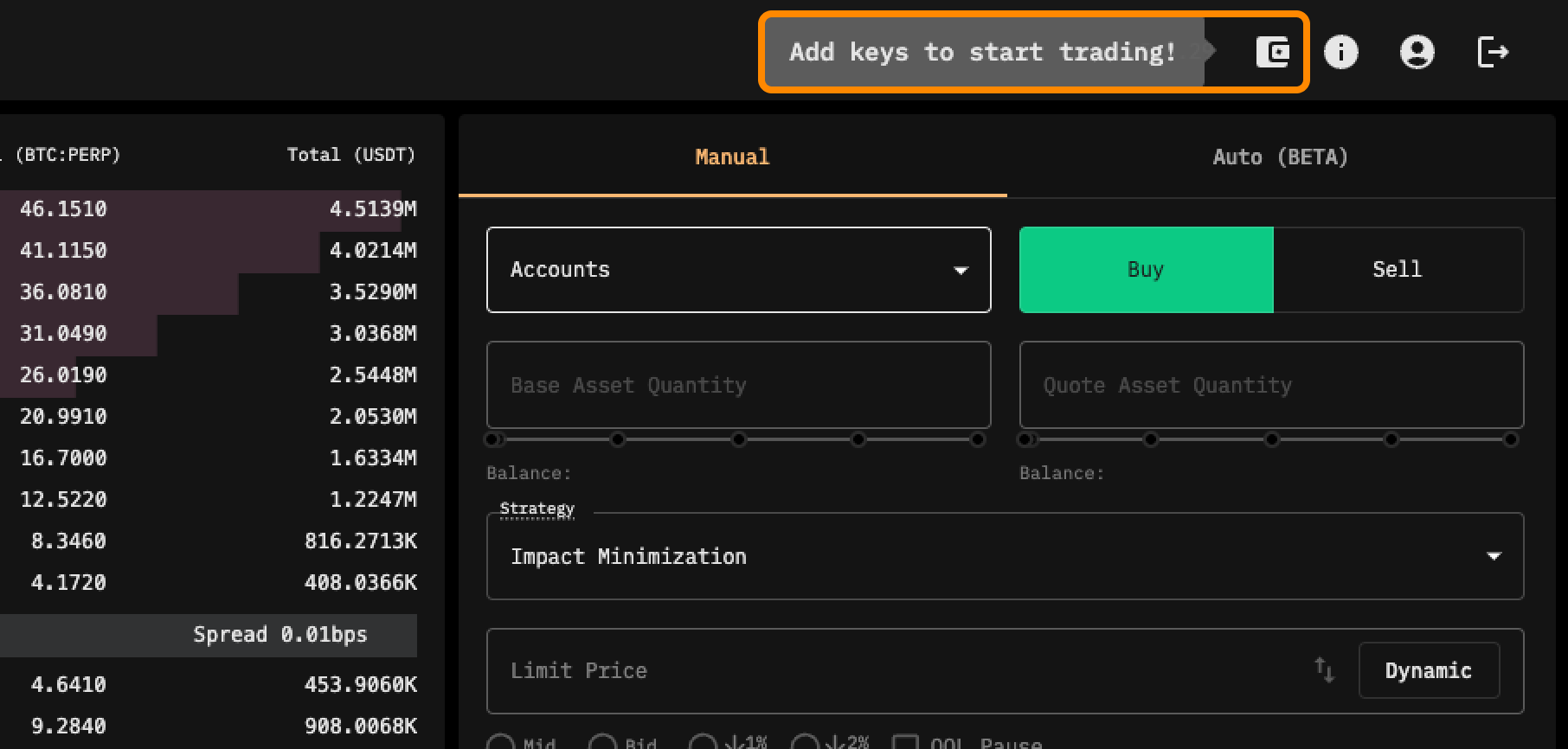
2. **Connect Exchange API** – Link your exchange API key to enable trading. For step-by-step instructions, check out: [**Connecting to Exchanges**](/tread.fi-institutional-api-docs/account-creation-and-api-key-connection/connecting-to-exchanges.md)
Click "Add key" to Connect Trading Account
Once you've completed these steps, you're ready to start trading with tread.fi. For more information on submitting your first simple order, check out this [page](/tread.fi-institutional-api-docs/creating-and-submitting-orders/submitting-your-first-order/algo-swap-mode.md).