> For the complete documentation index, see [llms.txt](https://docs.tread.fi/llms.txt). Markdown versions of documentation pages are available by appending `.md` to page URLs; this page is available as [Markdown](https://docs.tread.fi/tread.fi-institutional-api-docs/account-creation-and-api-key-connection/connecting-to-exchanges/paradex.md).
# Paradex
### Linking Your Pacifica Account
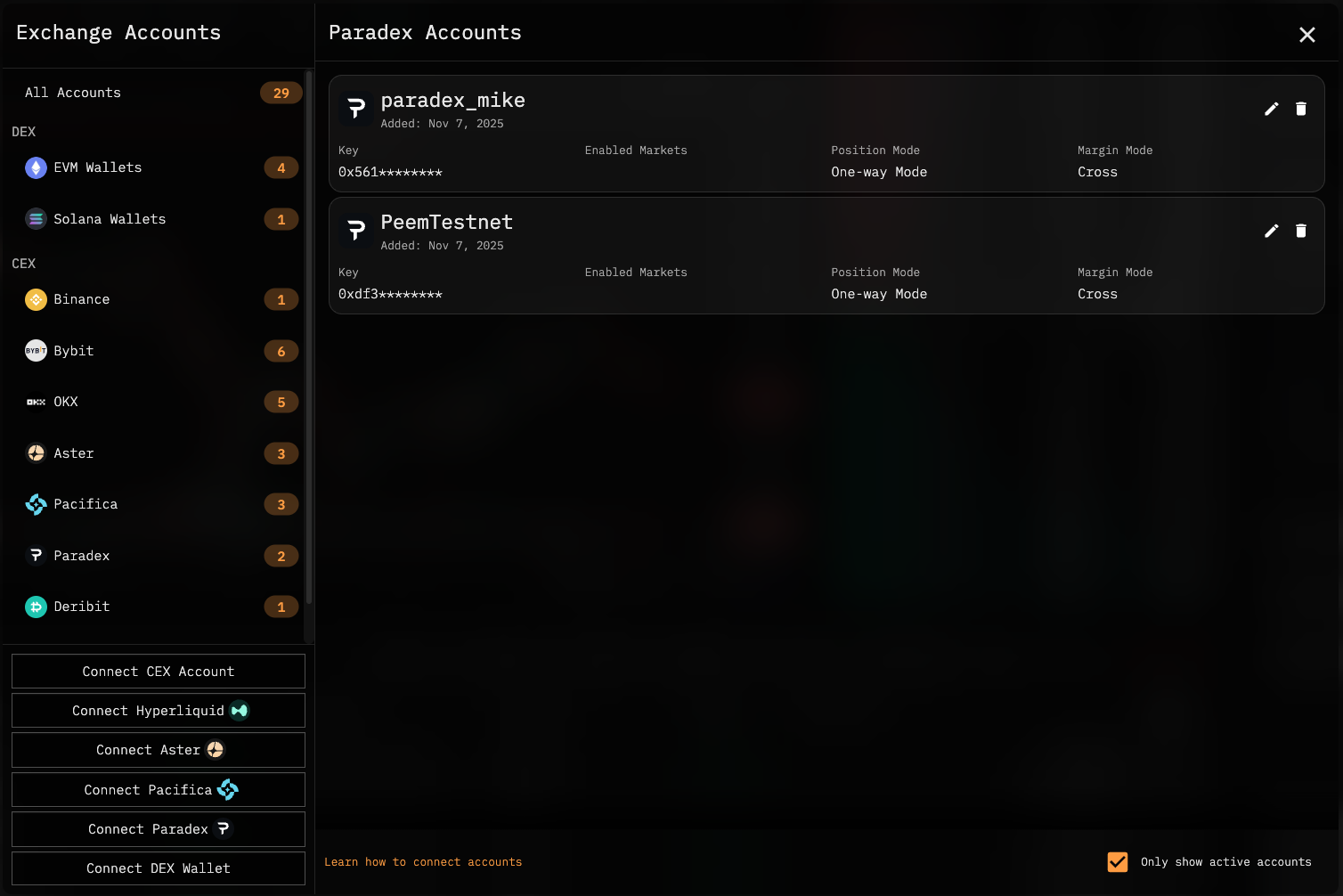
**Open Up the** [**Key Management**](https://app.tread.fi/key_management) **menu on tread.fi**
* This can be accessed by clicking on the wallet icon on the top right corner on app.tread.fi after you have logged in.
**Link Exchange API Key**
1. Click **Connect Paradex**.
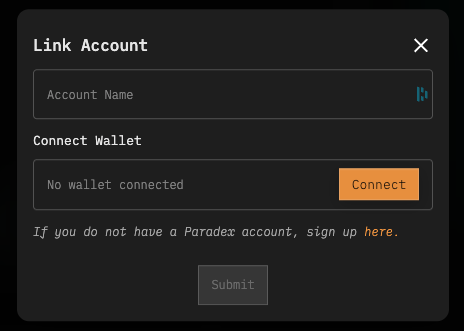
2. (Optional) Set a reference name for this exchange account.
3. Click **Connect** and use the same wallet as your Paradex account.
4. If you don't have a Paradex account, sign up through our signup link.