> For the complete documentation index, see [llms.txt](https://docs.tread.fi/llms.txt). Markdown versions of documentation pages are available by appending `.md` to page URLs; this page is available as [Markdown](https://docs.tread.fi/other-trading-modes/chained-orders-batch-trading.md).
# Chained Orders (Batch Trading)
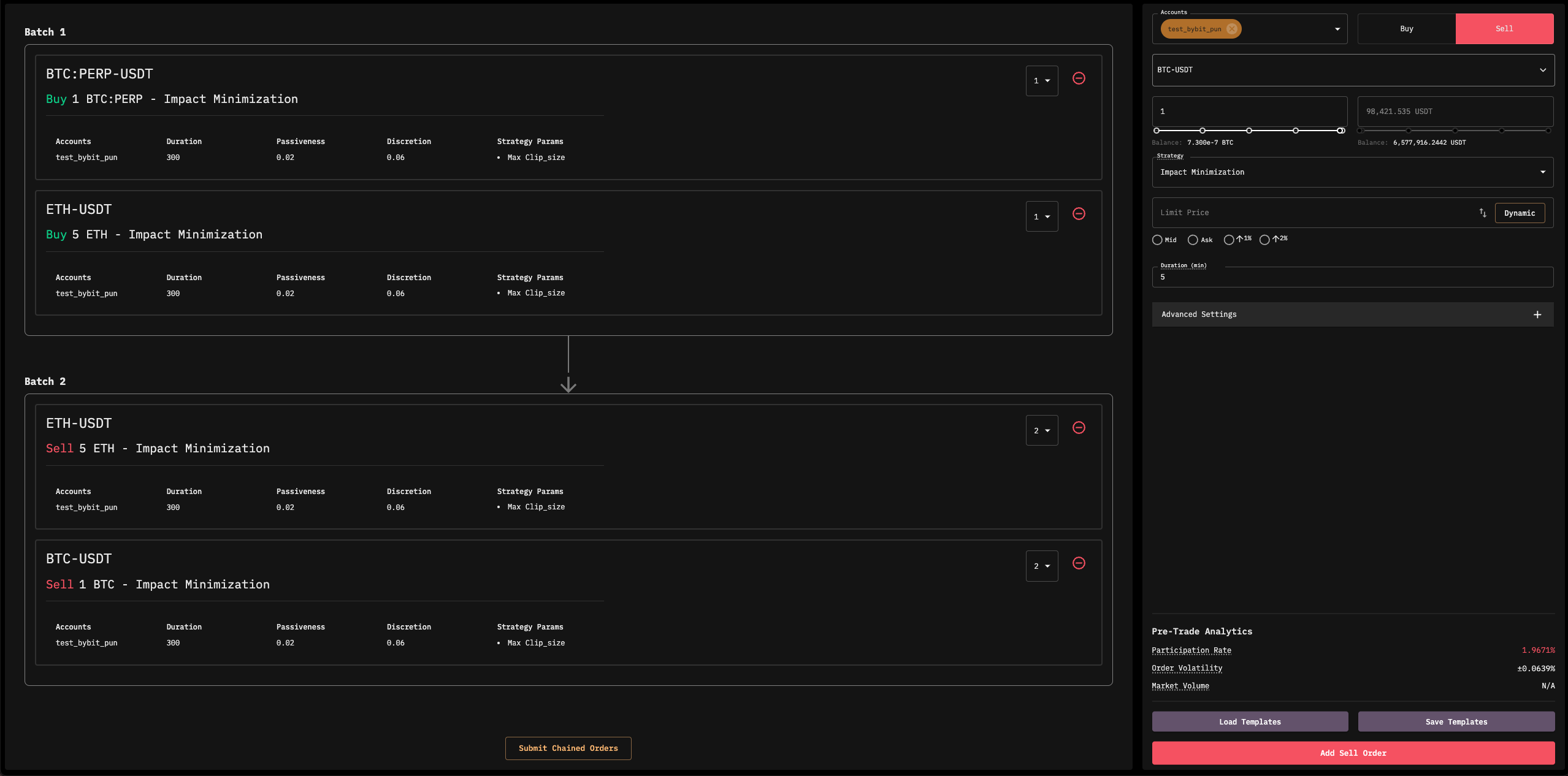
Chained Order Interface
**Chained Orders** allow traders to **execute multiple trades in a predefined sequence**, ensuring that each order **triggers only after the previous one is completed**. This feature is useful for structuring **complex execution strategies**, such as **staggered entries and exits** or executing trades based on sequential logic rather than simple price triggers.
#### **How It Works**
* Orders are grouped into **batches**:
* **Orders within the same batch execute simultaneously**.
* **Subsequent batches begin execution only after the preceding batch is fully completed**.
* The sequence progresses as follows:
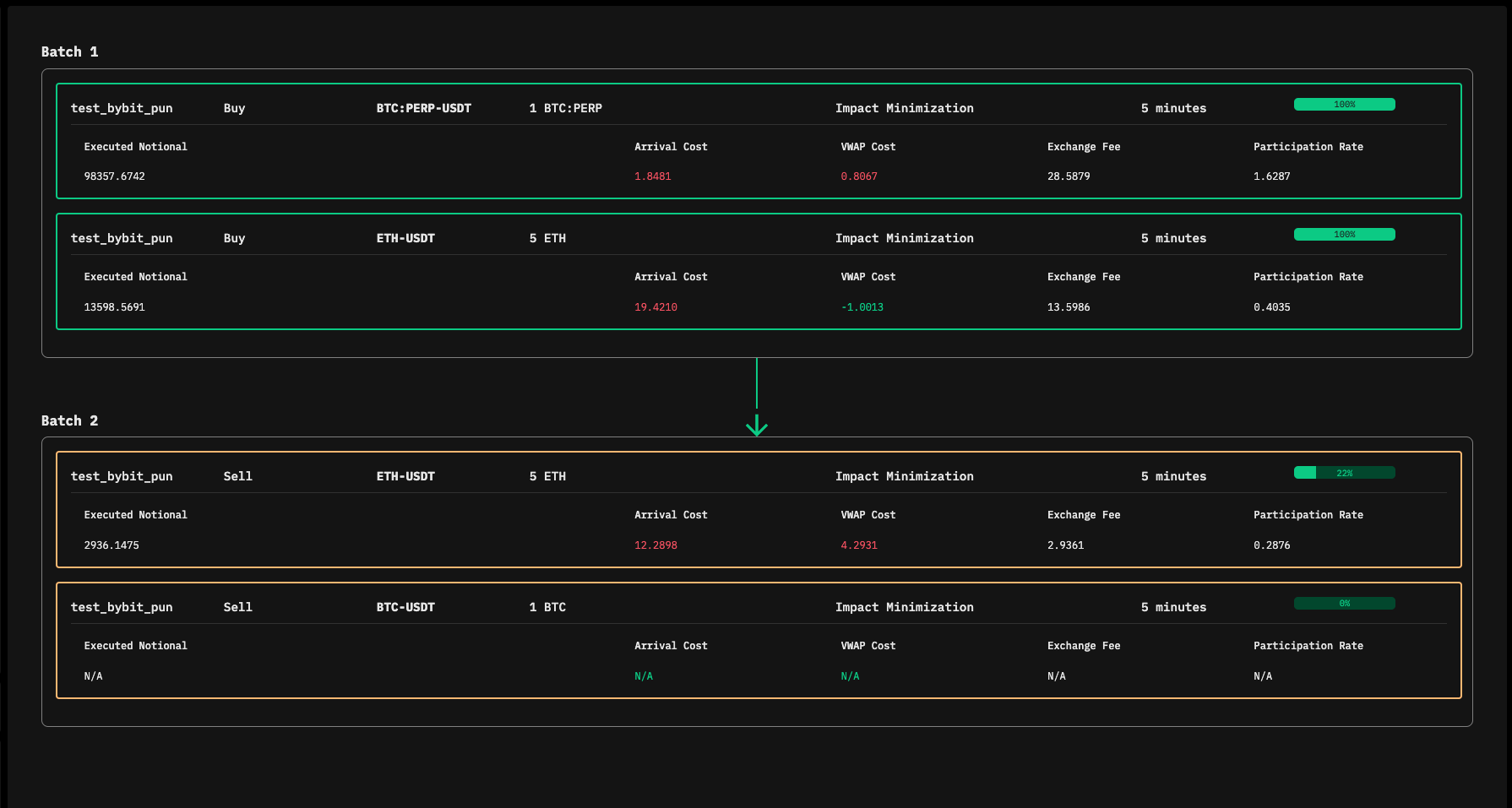
* Once all orders in **Batch n** are **fully filled**, **Batch n+1** begins execution.
* A common use case is **scaling into a position over multiple orders** and then **exiting in structured steps** based on execution logic. Unlike a **Take Profit order**, which triggers an exit solely based on price, **Chained Orders provide execution control**, ensuring each step completes before proceeding to the next.
#### **Configuring Chained Orders**
1. **Add Orders to the Chain** – Use the order entry form to create and structure orders in sequence.
2. **Assign Batches** – Set a **batch number** for each order to define execution priority. Orders within the **same batch execute concurrently**.
3. **Submit the Chain** – Click **"Submit Chained Orders"** to start execution. The engine will process each batch in order.
Chained Order Execution
#### **Key Considerations**
* **Order Completion Requirement** – An order is considered **complete only when fully filled**. If an order is **not fully filled**, the chain **stops**, and an **error is raised**.
* **No Conditional Execution** – Chained orders **do not support conditional triggers** (e.g., price-based activation).
* **Editing Orders** – Once submitted, orders **cannot be edited**. To modify an order, it must be **deleted and re-added**.
* **Monitoring Execution** – Traders can track order progression via the **Chained Orders Monitoring Page**, which provides insights into each step of execution. Clicking on an order opens its **detailed analytics page**.
* **Pausing Orders** – The **chain cannot be paused as a whole**. However, **individual orders** can be paused if needed.