> For the complete documentation index, see [llms.txt](https://docs.tread.fi/llms.txt). Markdown versions of documentation pages are available by appending `.md` to page URLs; this page is available as [Markdown](https://docs.tread.fi/other-features/telegram-bot.md).
# Telegram Bot
The tread.fi Telegram bot provides on-the-go access to algo-trading functions and real-time updates. For setup instructions please [here](/other-features/telegram-bot/setup-guide.md).
Please note the Telgram bot is still in beta, please use with caution.
### Key Commands
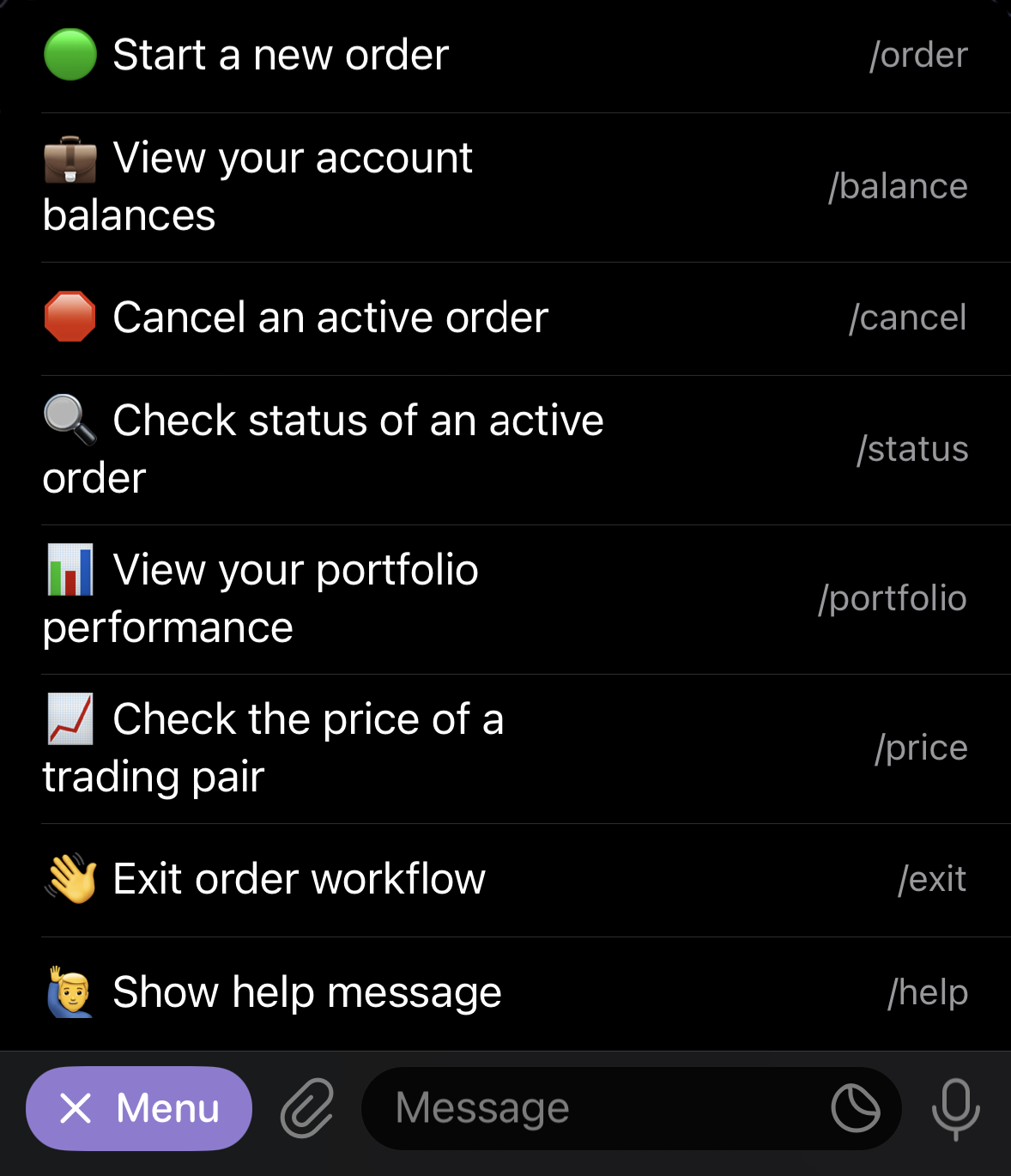
The bot uses interactive buttons for most actions, allowing for fast and intuitive trading.
Telegram Bot Menu
* **/order**: Place new trades.
* Choose the account you want to trade from.
* Select your desired trading pair.
* Use preset amounts (e.g., 1,000 USDT, 10,000 USDT), percentages of your balance (50% or 100% for quick exits), or enter a custom quantity.
* Specify the urgency of your order (Very Low, Low, Medium, High, Very High).
* **/balance**: Get a summary of your current account holdings. You can view balances for a specific account or for all accounts combined.
* **/portfolio**: Track your account's historical performance. This command generates graphical charts of your PnL and balance history over the last 7 days.
Unrealized PNL Graph
Total Balance & GMV Graph
* **/status:** Check the status of any active or recent order. This displays perecentage filled, average execution price and a direct link to the order page.
* **/cancel:** Cancel an active order. If you have multiple active orders, you'll be prompted to select which one to cancel.
* **/price:** View a candlestick price chart for a specific market. Use the format `/price [period]`
* Time period can be hour, day, week, month
* Example: /price Binance ETH-USDT day
Candlestick Price Chart
* **/exit**: Exit the current workflow.
* **/help:** Display the full list of available bot commands.
### Getting Alerts
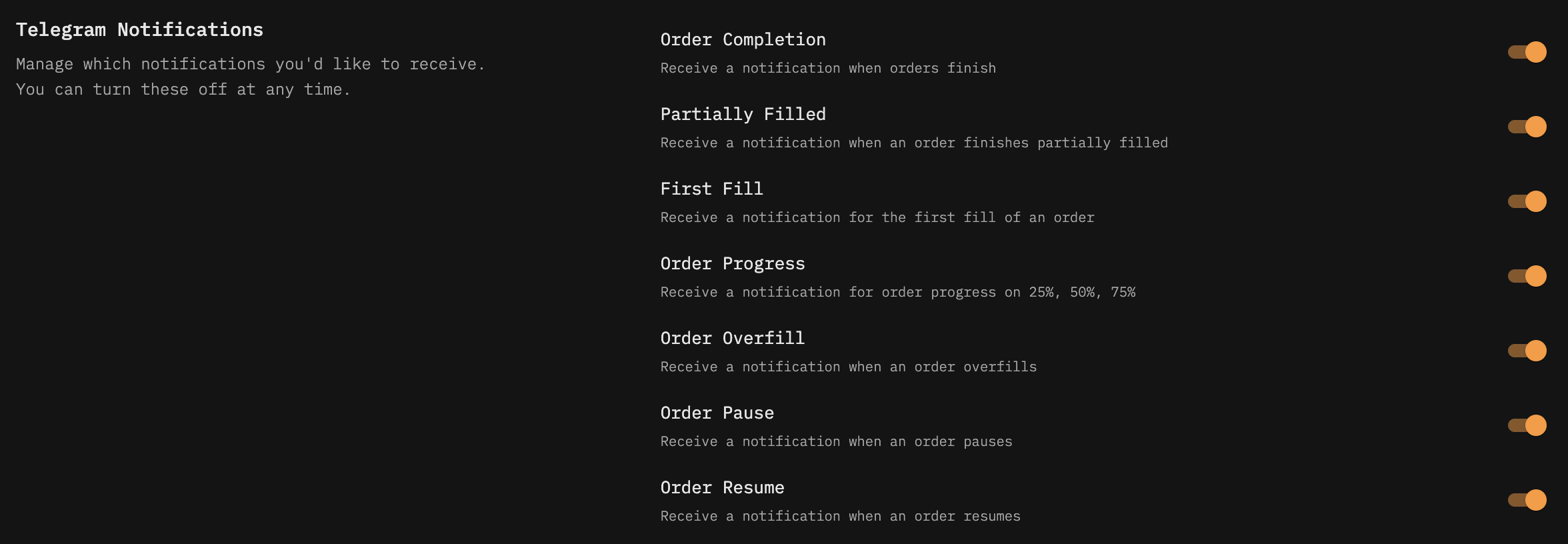
You can customize Telegram alerts in the Settings page to stay informed on key trading events.
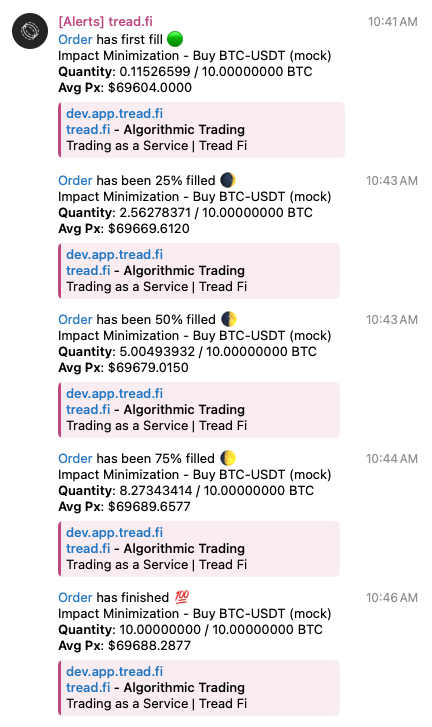
### Alerts
Below is an example of an order's notifications in Telegram