> For the complete documentation index, see [llms.txt](https://docs.tread.fi/llms.txt). Markdown versions of documentation pages are available by appending `.md` to page URLs; this page is available as [Markdown](https://docs.tread.fi/order-tracking-and-portfolio-management/portfolio.md).
# Portfolio
### Overview
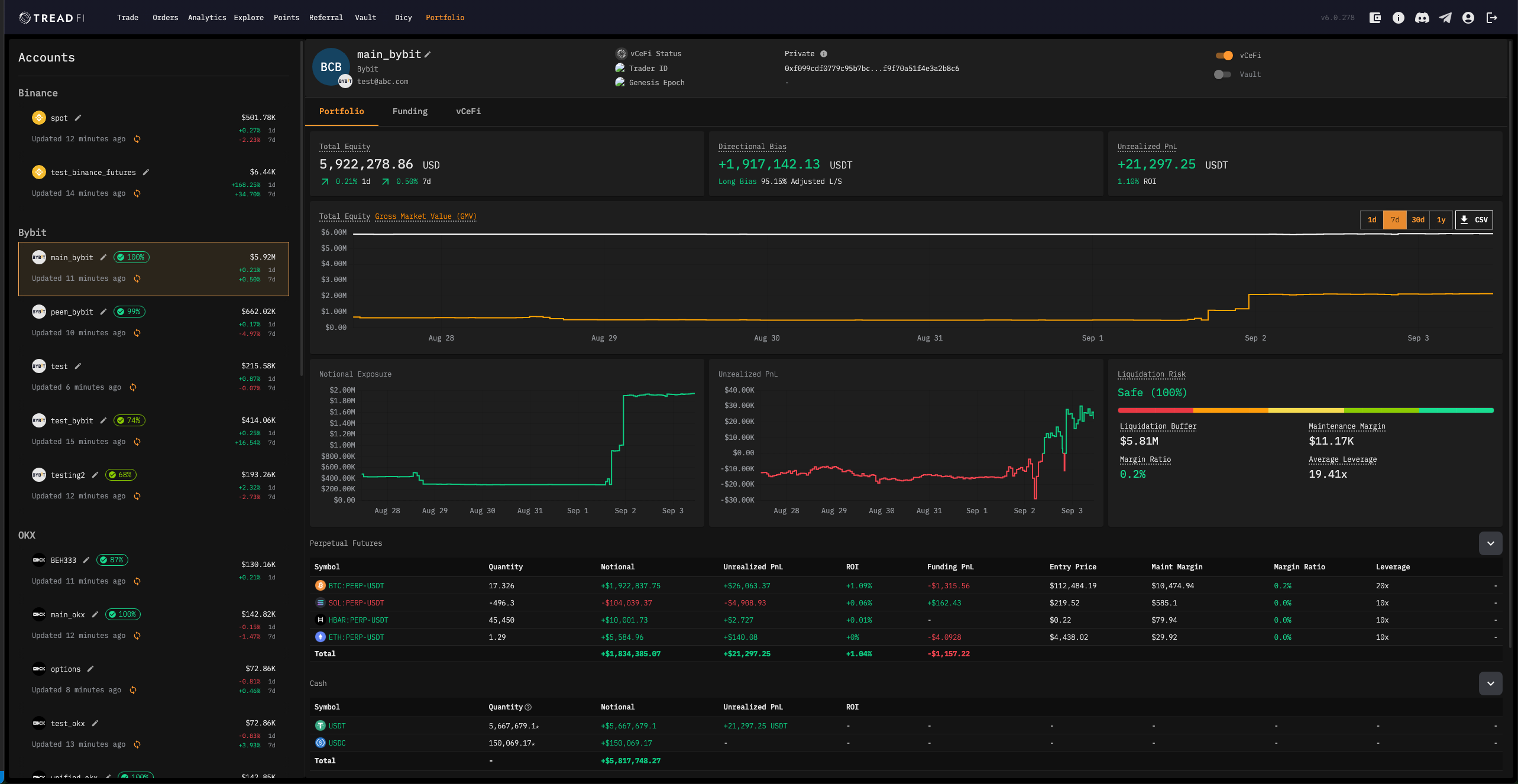
The Portfolio section is your comprehensive trading account management hub, providing detailed insights into your account's financial position, performance, and trading activity. This section is organized into three main tabs, each offering unique perspectives on your trading account data.
Your primary account dashboard and asset overview. The Portfolio tab serves as your main command center, providing a complete view of your account's financial health and performance. This tab is available for all account types (CEX and DEXs).
* **Real-time Portfolio Metrics:** Total equity, directional bias, and unrealized PnL
* **Interactive Equity Charts:** Historical performance with Total Equity and Gross Market Value (GMV) tracking
* **Comprehensive Asset Breakdown:** Detailed tables organized by market type (Perpetual Futures, Spot, Cash, etc.)
* **Risk Management Tools:** Liquidation risk assessment for leveraged positions
* **Historical Trends:** Multiple time frames (1d, 7d, 30d, 1y) for performance tracking
* **Data Export:** CSV download functionality for external analysis
For further details specific to this tab please see [here](/order-tracking-and-portfolio-management/portfolio/portfolio-tab.md).
***
#### [Funding Tab](/order-tracking-and-portfolio-management/portfolio/funding-rate-analytics.md)
The Funding tab provides in-depth analysis of your funding-related costs and activities, helping you understand the true cost of maintaining leveraged positions. This tab is only available for Non-DEX accounts.
**Key Features:**
* **Funding Cost Analysis:** Daily and cumulative funding payments/receipts
* **Borrowing Activity:** Track borrowing costs and patterns over time
* **Position-specific Funding:** Individual funding rates and costs per trading pair
* **Historical Trends:** Visual charts showing funding patterns across different time periods
* **Performance Impact:** How funding costs affect your overall returns
* **Time Frame Controls:** Analyze funding data across 1d, 7d, 30d, and 1y periods
For further details specific to this tab please see [here](/order-tracking-and-portfolio-management/portfolio/funding-rate-analytics.md).
***
#### [vCeFi Tab](/order-tracking-and-portfolio-management/portfolio/vcefi-verified-cefi.md)
The vCeFi tab provides transparency and verification of your trading activity through on-chain proofs. This feature enables you to share verifiable trading performance data while maintaining privacy. This tab is only available for Non-DEX accounts.
**Key Features:**
* **Trading Proofs:** Blockchain-verified records of your trading activity
* **Performance Metrics:** Total equity, unrealized PnL, and notional exposure tracking
* **Volume Analysis:** Cumulative trading volume and activity patterns
* **Shareable Performance:** Generate shareable images of your trading proofs
* **Privacy Controls:** Toggle between private and public proof sharing
* **Historical Data:** Track performance and volume over time
For further details specific to this tab please see [here](/order-tracking-and-portfolio-management/portfolio/vcefi-verified-cefi.md).
### Account Type Differences
#### Non-DEX Accounts (Centralized Exchanges + Hyperliquid)
* All three tabs available: Portfolio, Funding, and vCeFi
* Full feature set: Complete risk management, funding analysis, and proof generation
* Advanced metrics: Liquidation risk, funding costs, and detailed position analysis
#### DEX Accounts (On-Chain Swaps/Trading via OKXDEX Integration)
* **Portfolio tab only:** Simplified view focused on asset holdings
* **Chain-specific organization**: Assets grouped by blockchain (Ethereum, BSC, Base, Solana)
* **Streamlined interface**: Optimized for multi-chain portfolio management