> For the complete documentation index, see [llms.txt](https://docs.tread.fi/llms.txt). Markdown versions of documentation pages are available by appending `.md` to page URLs; this page is available as [Markdown](https://docs.tread.fi/enterprise/managed-service/server-status.md).
# Server Status
At the footer of the TaaS website, the status of the proxy servers will be displayed and refreshed every minute.
* Online: Fully functional
* Partially Degraded: Some exchanges may be not responding
* Offline: The proxies are not up/available
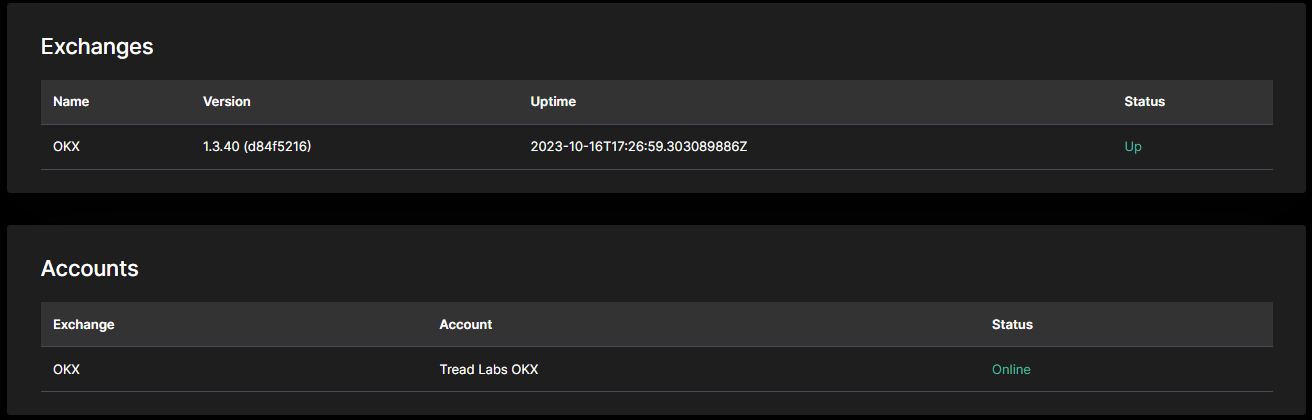
Clicking into the status will take you to a detailed status page that will show the version and uptimes of each of the exchange connections.
Exchanges show the status of the exchange adapters connected to each exchange. These are shared by all users within the client's organization. Accounts show the status of each of the exchange accounts. For example:
* If Binance is down, the exchange adapter for Binance may show offline and all exchange accounts on Binance will also show offline
* If your exchange API key has been deleted, the exchange will show online, but the account tied to the API key will be offline
* If the proxy itself is down, the exchanges will show unavailable and accounts will show as offline