> For the complete documentation index, see [llms.txt](https://docs.tread.fi/llms.txt). Markdown versions of documentation pages are available by appending `.md` to page URLs; this page is available as [Markdown](https://docs.tread.fi/dex-swaps-trading/submitting-dex-orders.md).
# Submitting DEX Orders
This page explains how to swap DEX tokens.
**Prerequisite:** You must have funds and the appropriate gas in your trading wallet to submit an order.
**Important: Your trading wallet needs both the token you want to swap AND the native gas token for that chain.** A common error is depositing only a stablecoin without the required gas token (e.g., ETH for the Ethereum network). Without gas in your trading wallet, **you cannot execute a swap.**
Refer to the [**DEX Trading Wallet Setup**](/dex-swaps-trading/dex-trading-wallet-setup.md) guide if you have not deposited funds.
### How to Trade: Two Modes
You can trade from two different interfaces depending on your needs.
#### Terminal Mode
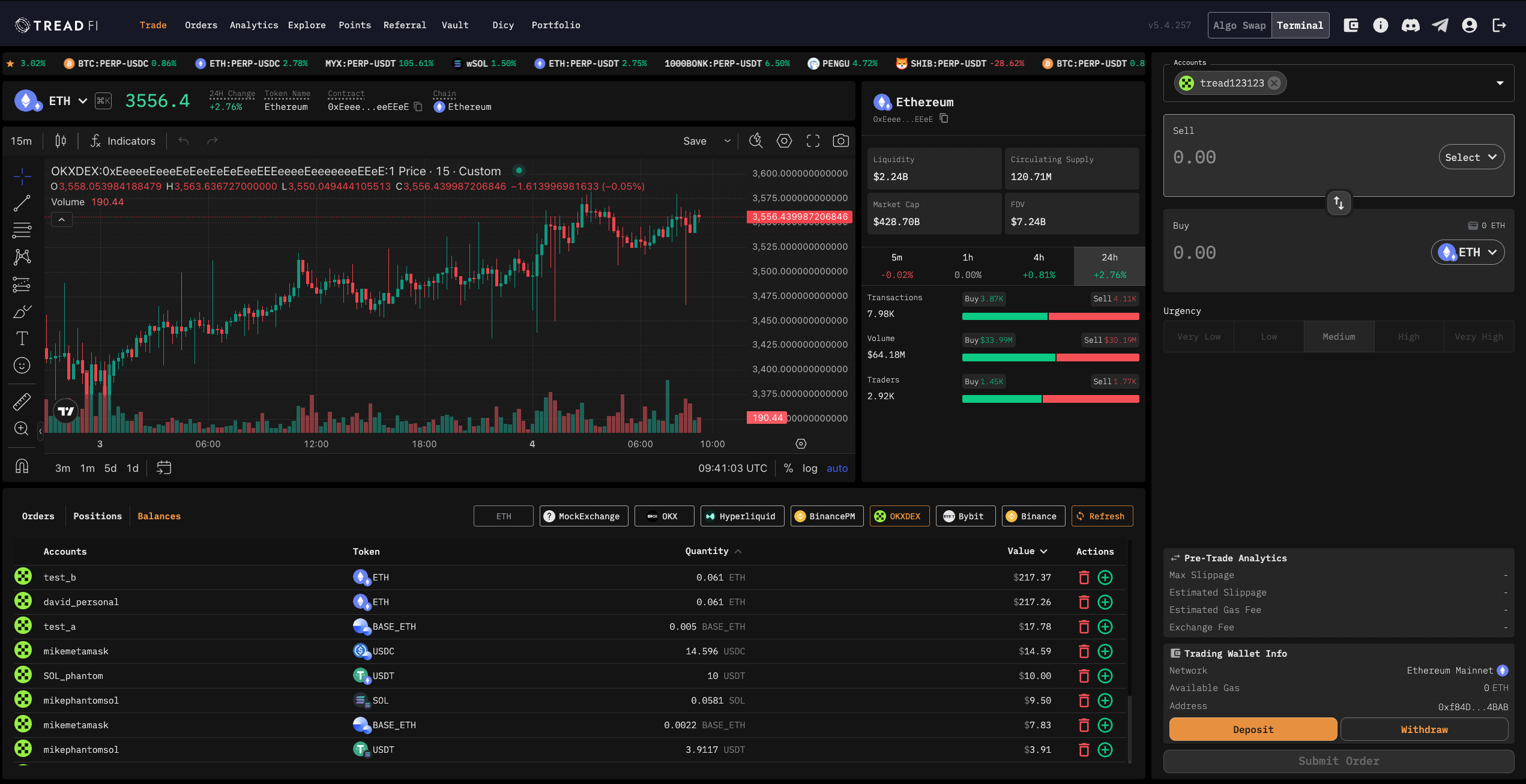
Use this mode for a detailed trading view with charts and analytics like transaction volume and trader counts.
1. **Select Your Wallet:** From the main terminal (`app.tread.fi`), select your connected wallet from the accounts drop down.
2. **View DEX Tokens:** The interface will automatically switch to show the DEX token universe.
3. **Find Your Pair:** Click the pair selector (or use `ctrl/cmd +k`) and open the **DEX tab**. This lists all tradable tokens for your connected wallet's chain.
#### Algo Swap Mode
Use this mode for a simplified, fast swap.
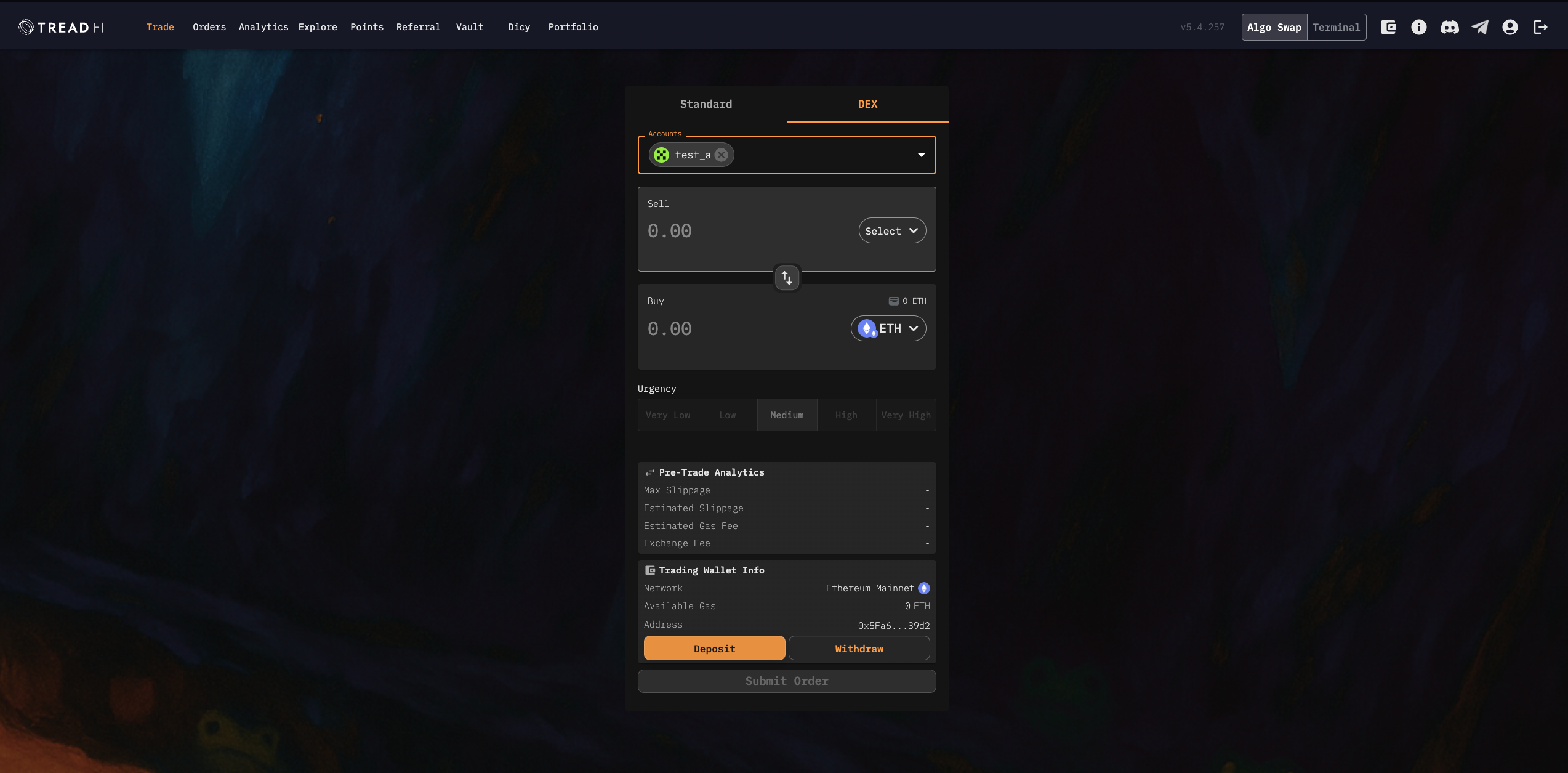
1. **Enable Mode:** Toggle on **Algo Swap** in the top right of the interface.
2. **Select DEX Tab:** Navigate to the **DEX Tab**.
3. **Execute Swap:** Select your tokens and submit the order.
### Reviewing Your Order
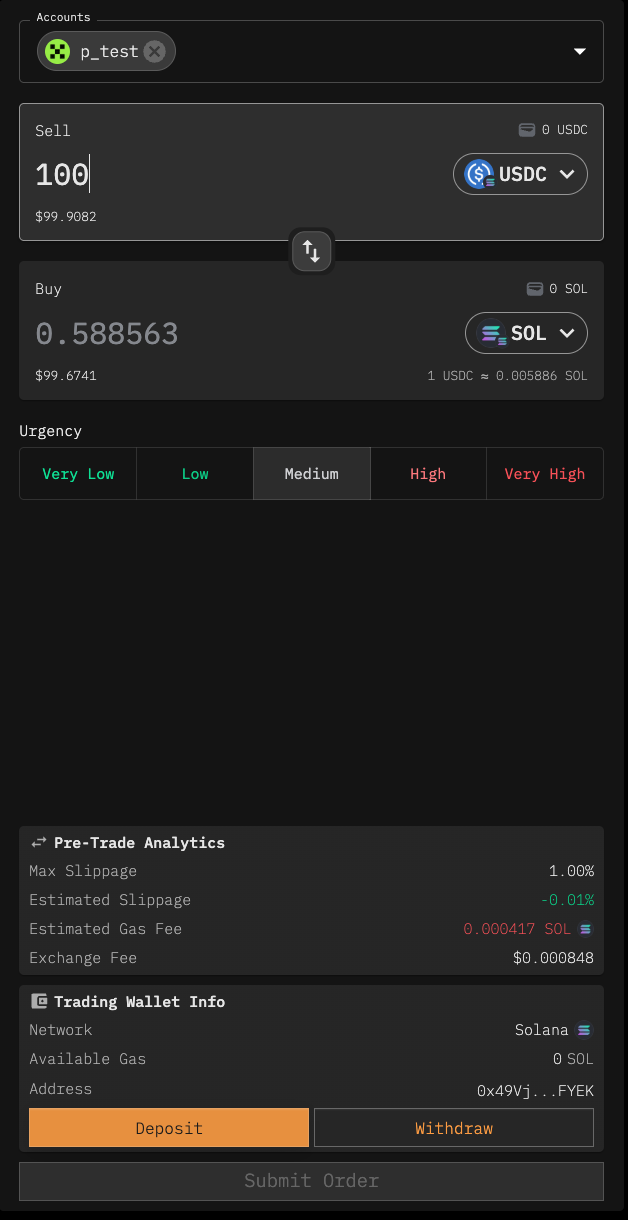
Before you confirm any trade, you must review the following details. These figures are critical for understanding the final cost and outcome of your trade.
* **Max Slippage:** The highest price change you're willing to tolerate before the trade fails.
* **Estimated Slippage:** A forecast of how much the actual execution price might differ from the quoted price.
* **Estimated Gas Fee:** The approximate network cost to execute the swap on the blockchain.
* **Trading Fee:** A fee charged by the platform for executing your trade, usually deducted from the output amount.
* **Available Gas:** The amount of native gas token (e.g., ETH, SOL) available in your trading wallet to pay for the transaction. Without sufficient gas, the submit order button will be greyed out.
Once you have reviewed and accepted these terms, you can confirm and submit your trade.
### Order Details
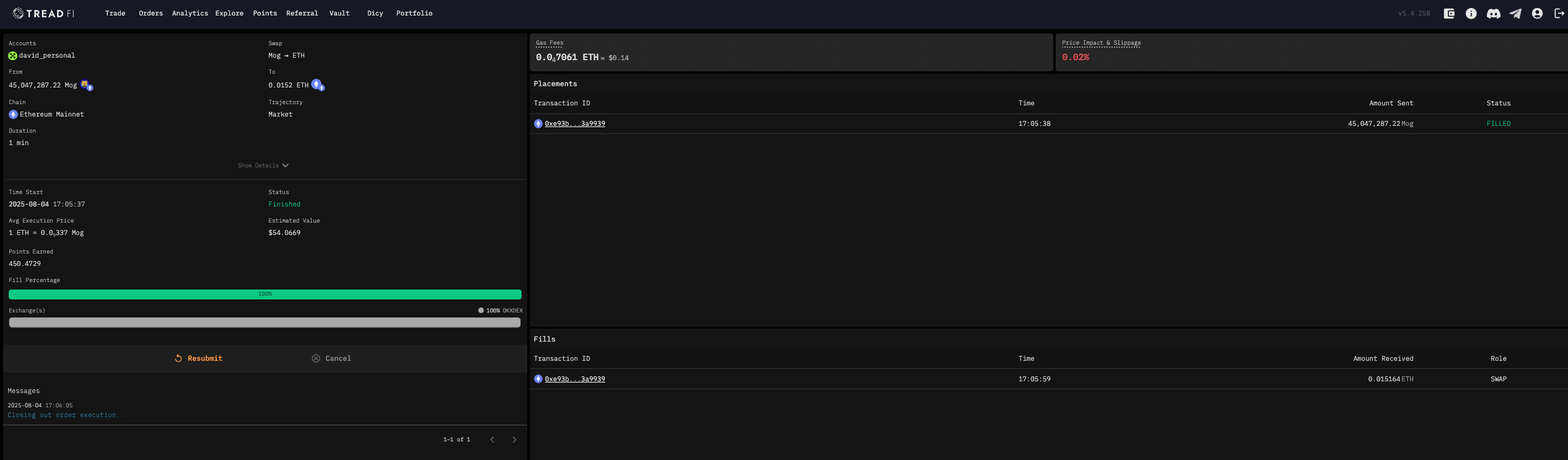
After submitting a trade, you are directed to the order details page. This page gives you a complete, real-time overview of your transaction's progress and final outcome.
**What this page shows:**
* **Order Summary:** A complete breakdown including the final execution price, transaction status (e.g., `Finished`), duration, and total value.
* **Fees & Slippage:** A clear view of the actual gas fees paid and the final price impact.
* **Placements & Fills:** Detailed logs of your transaction.
* **Placements:** Shows the outgoing part of your swap, including the amount sent and its status.
* **Fills:** Shows the incoming part of your swap, confirming the amount you received.
* **Transaction ID:** A direct link to the blockchain explorer for independent verification.
* **Messages:** A log of real-time status updates for your order.
This page provides full transparency, allowing you to track your order from submission to completion and verify all details on-chain.
### Troubleshooting
If a transaction fails, an error message will appear. Common reasons for failure include:
* **Insufficient Funds:** Not enough tokens or gas in your trading wallet.
* **Swapping Your Entire Gas Balance:** Attempting to swap your full balance of a native gas token (like ETH) will fail because no funds are left to pay the required gas fee for the transaction itself.
* **Network Error:** The blockchain is congested or experiencing issues.
* **Slippage Exceeded:** The price changed more than your "Max Slippage" setting before the trade could be completed.