> For the complete documentation index, see [llms.txt](https://docs.tread.fi/llms.txt). Markdown versions of documentation pages are available by appending `.md` to page URLs; this page is available as [Markdown](https://docs.tread.fi/bots/market-maker-bot/scheduling-orders.md).
# Scheduling Orders
Scheduling lets you set the bot to start later instead of starting immediately. You can also optionally set it to repeat multiple times.
#### Where to find it
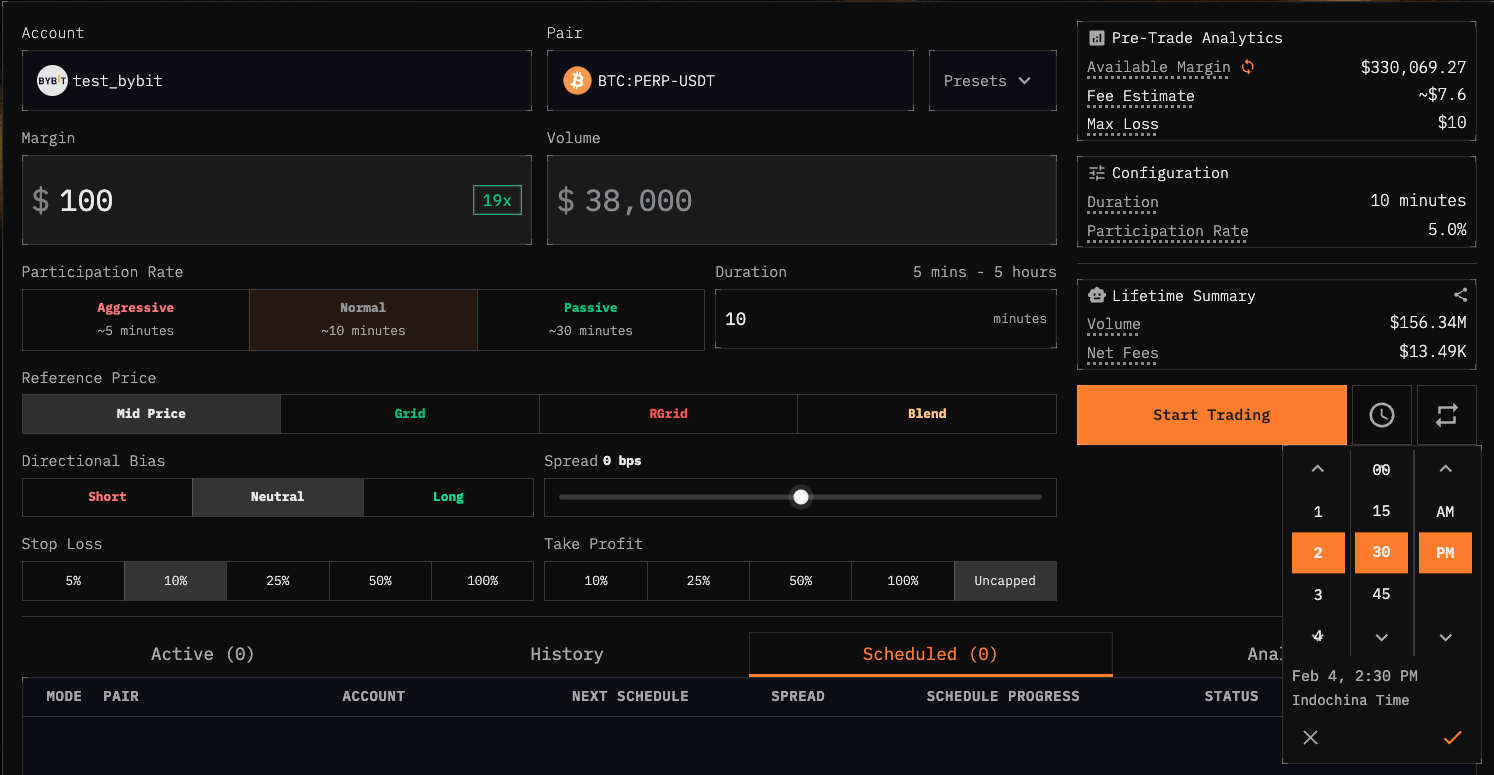
On the Market Maker (Volume Bot) page, next to the main Start Trading / Schedule button, you’ll see two icons:
* **Clock icon:** choose a start time
* Start times are in 15‑minute increments (:00, :15, :30, :45).
* If you pick a time that already passed today, the app automatically schedules it for tomorrow at the same time.
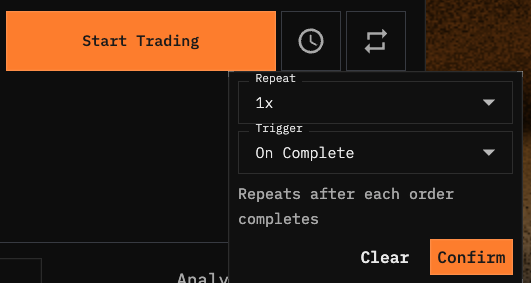
* **Repeat icon:** choose how many times to run, and when to trigger the next run
#### Trigger types
**On Complete (back‑to‑back)**
* The next run starts after the previous run finishes.
* This is best if you want consecutive runs without overlap.
* **Repeat limit:** maximum 5 total runs.
**Use this when:** you want “run again as soon as it’s done.”
**Daily (same time each day)**
* The bot starts at the scheduled start time each day.
* This requires you to set a scheduled start time.
* In the example below, the setting is 4x repeat, on complete. This means the order will run repeat 4 times after successively after each completion. The 4 boars denote the status for each order.
**Use this when:** when you want to for example, start an order everyday at 9:00am
As soon as you set a schedule or a repeat, the order will appear under the **Scheduled tab** in the order table.
* You can delete it before it starts by pressing the x icon.
### Important Notes
* **Timezone:** You always pick the time in your local timezone; our engine handles the rest. Around daylight savings changes, “Daily” schedules may appear to shift by an hour depending on your local timezone rules.
* **If you schedule a past time:** it automatically rolls to tomorrow.
* **Overlap risk:** Daily can overlap if a run lasts longer than a day; On Complete won’t overlap because it waits for completion.